
Every system works fine until it’s under load — and Q4 is the load. The tool that’s a little clunky in August becomes a daily headache in November; the workflow only you understand becomes a bottleneck the week you’re slammed. To stress-test your business systems means pressure-checking them now, while the stakes are low, to find what buckles before it actually does. As August closes and fall begins, this final week is about spotting weak points, closing gaps, and lining up support so your operations hold steady.
What It Means to Stress-Test Your Operations
In engineering, a stress test pushes a system past its normal operating capacity to find where it breaks. The goal isn’t to watch it fail — it’s to find the failure point in a controlled environment so it can be reinforced before real conditions create a real problem.
For a small business, the same principle applies. You don’t need to simulate a disaster. You need to ask a series of honest questions about what your business looks like when it’s running at higher-than-normal volume — more clients, more inquiries, more deliverables, more decisions — and identify where the cracks would appear first.
The stress test isn’t about pessimism. It’s about the same operational maturity that distinguishes a business that scales cleanly from one that thrashes under pressure. Businesses that enter fall having stress-tested their systems look confident under volume. Businesses that haven’t look chaotic — to their clients, to their team, and to themselves.
The process is simpler than it sounds. For each major operational area — your tools, your workflows, your communication systems, your support structure — ask three questions: What happens when the volume doubles? Who is responsible when I’m unavailable? What breaks first? The answers reveal the gaps. The gaps reveal the work to do before September.
The Tech and Tools Most Likely to Fail You in Q4
Not all tools are created equal under pressure, and the ones that were good enough in a lighter season often reveal their limitations when volume increases. Before fall arrives, audit the platforms your business depends on — not for their features, but for their failure modes.
Scheduling and calendar tools are one of the most common failure points. A scheduling system that works fine when you have moderate inquiry volume starts to create problems when leads and clients are trying to book simultaneously, when double-books start occurring because availability wasn’t updated, or when automated confirmations stop going out because no one verified the integration. Check your scheduling tool now. Confirm the availability blocks are current. Confirm the confirmation emails are firing. Confirm the calendar integrations are syncing correctly.
Project management platforms are another frequent weak point. The ClickUp or Notion workspace that was clean and organized in June often becomes cluttered and hard to navigate by October if no maintenance has been done. Before fall, archive completed projects, organize active ones, review your task templates, and make sure anyone who needs access has it — and that anyone who shouldn’t have access doesn’t.
Communication platforms — email, Slack, your CRM — need a pre-season audit as well. Are your email filters and labels still doing what they were designed to do, or has inbox drift crept back in? Are your Slack channels organized, or have they become a second inbox? Is your CRM current, or are there contacts, notes, and deal statuses that haven’t been touched since spring? These aren’t exciting tasks. They are exactly the kind of tasks that make November manageable.
Automation sequences deserve particular attention. Any automated email, onboarding sequence, or workflow trigger that was set up months ago should be tested before volume puts it under load. Run through your own onboarding as if you were a new client. Does the sequence fire in the right order? Does the content still reflect how your business currently operates? Are the links working? Broken automations during a busy season create client experience problems that are expensive to recover from.
Finding the Single Points of Failure in Your Workflows
A single point of failure is any part of a system where one breakdown — one tool outage, one missed step, one unavailable person — stops everything else from moving. Most small businesses have more single points of failure than they realize, because most of what keeps the business running lives in one person’s head.
The fastest way to find yours: write down the five most critical workflows in your business and trace each one from start to finish. For each step, ask: what happens if I’m not available to do this? If the answer is “it stops,” that’s a single point of failure. If the answer is “someone else handles it,” ask whether that someone else knows they’re responsible, has the access they need, and has the documentation to execute correctly.
Common single points of failure in small service businesses include: the client inquiry response that only you can write, because there’s no template and no one else knows the tone. The project status update that only happens when you remember to send it, because there’s no system that triggers it. The invoice that goes out when you remember, rather than on a defined schedule. The onboarding call that only you can run, because no one else has been briefed on the process. The weekly check-in that depends entirely on your initiative, with no backup if you’re traveling or sick.
None of these are character flaws. They’re structural gaps — and structural gaps are fixable. Document the process. Build the template. Assign the backup. Set the automation. Each single point of failure you close before fall is one fewer crisis waiting to happen when your bandwidth is stretched thin.
Lining Up Support Before You’re Underwater
The worst time to find support is when you already need it. By the time a business owner is underwater in November, the onboarding of any new operational support adds to the load rather than relieving it. The right time to bring on support — or to expand it — is now, when you have the capacity to onboard well and the margin to calibrate the relationship before pressure arrives.
If you’ve been considering bringing on an executive assistant, an operations partner, or a contractor for any function that runs your business, the decision should happen in August. Not because fall is months away — because onboarding takes time. The first 30 days of any support relationship are a calibration period, not a full-productivity period. An EA onboarded in August is operating at full capacity by October. An EA onboarded in October is still calibrating in November, which is exactly when you need them most.
If you’re already working with support, August is the time to expand the scope, clarify the Q4 priorities, and make sure the people who help run your business know what the next quarter is going to require from them. A brief conversation now — about volume expectations, calendar commitments, and Q4 priorities — prevents a dozen reactive conversations in October.
At Perfectly pInked, this is exactly what we help clients do. Not just the daily rhythm of inbox management and calendar coordination — but the pre-season work that makes the daily rhythm sustainable when the season gets demanding.
Your Pre-Fall Readiness Checklist
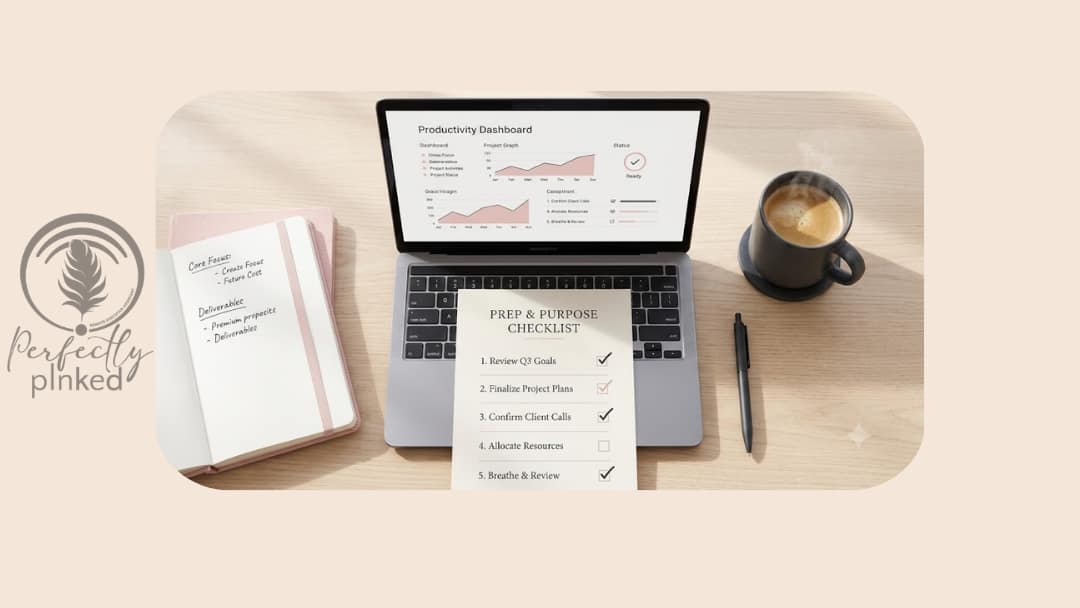
This is the practical close-out. Before September begins, run through each item and confirm it’s been addressed.
Tools and technology. Scheduling tool availability is current and confirmations are firing. Project management workspace is organized and archived. Email filters and labels are functioning. CRM contacts and statuses are current. Automation sequences have been tested end-to-end.
Workflows and documentation. Your five most critical workflows are documented and accessible to anyone who might need to execute them. Single points of failure have been identified and at least one has been addressed. SOPs for your highest-volume fall processes are written and current.
Calendar and capacity. Q4 priorities are defined and blocked on your calendar. Focus hours are protected before the quarter fills reactively. Holiday and crunch periods have buffer built in. Your capacity ceiling is understood and your onboarding decision has been made.
Support and communication. Anyone supporting your business knows what Q4 requires. Access and permissions are current. Response time expectations have been communicated to active clients. Your out-of-office protocol and escalation path are documented and tested.
Energy and readiness. You’ve taken at least one genuine rest day in August. Your open loops have been closed or deliberately deferred. You’re entering September with intention rather than inertia.
This checklist isn’t a guarantee that Q4 will be smooth. It’s a commitment that when the pressure arrives, you’ll have done the work to meet it from a position of readiness rather than reaction.
Ready to Head Into Q4 From a Position of Strength?
The businesses that finish the year strong aren’t the ones that hustle hardest in October. They’re the ones that built the foundation in August. The stress test you run now — on your tools, your workflows, your support structure, and your capacity — is the investment that makes the final quarter not just survivable but strong.
If you want support building that foundation — from the operational infrastructure to the executive assistance to the back-office systems that hold up under Q4 pressure — visit us at www.perfectlypinked.com to schedule a consultation. Let’s make sure your systems are ready before the surge arrives.